
Rack vs Tower vs Modular: Choosing the Right Dell PowerEdge Form Factor
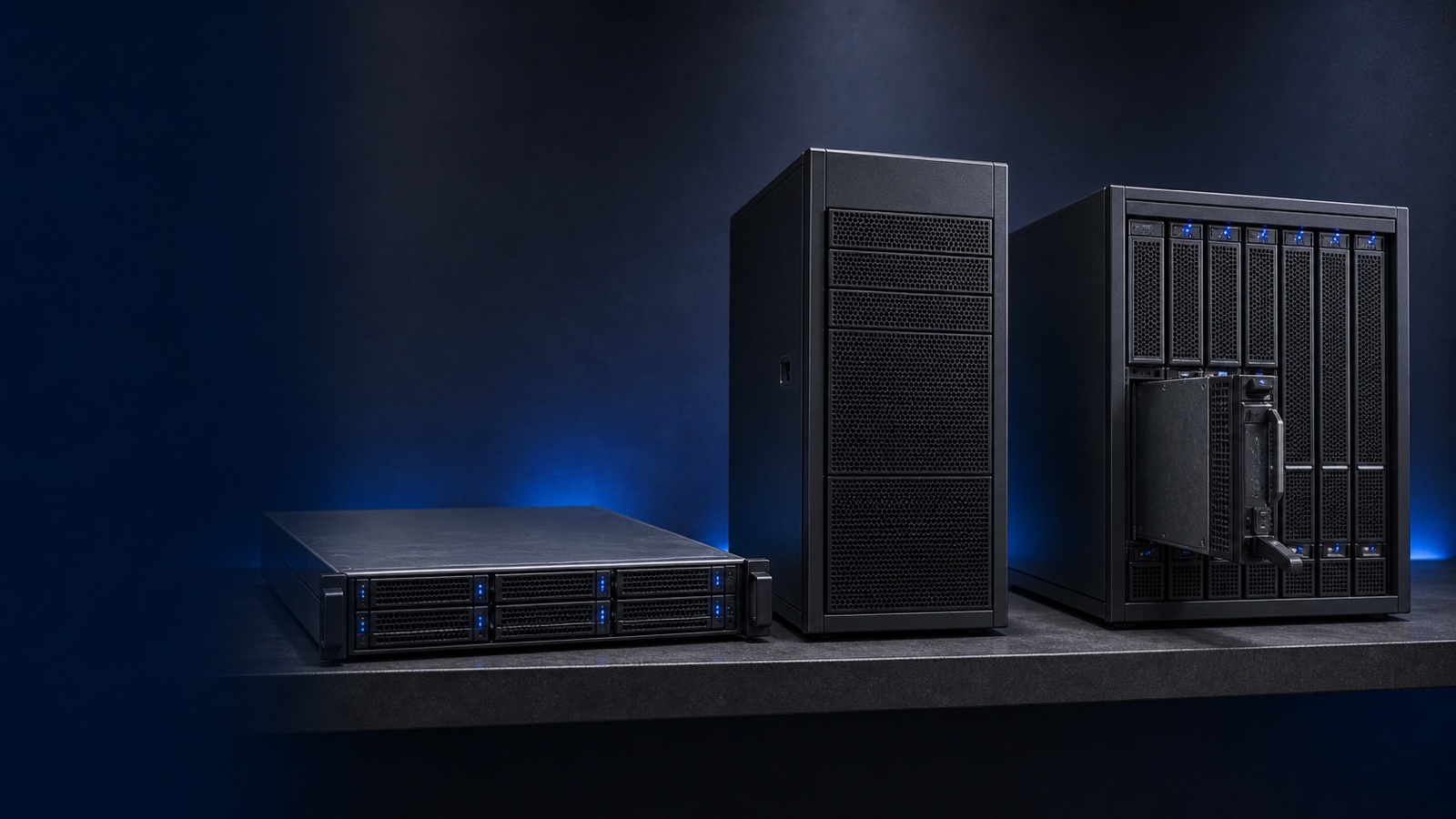
Picking a server starts with a question most spec sheets skip: what shape should it be? A Dell PowerEdge server comes in three broad form factors — rack, tower, and modular — and the right choice depends far more on where the system will live and how it will scale than on raw component specs. Choose the wrong chassis and you'll fight cooling, cabling, and rack-space problems for the life of the hardware. This guide breaks down each form factor, where it genuinely fits, and how regulated buyers acquire the right one compliantly.
Rack Servers: The Data Center Default
Rack servers are flat, horizontal chassis measured in rack units (1U, 2U, and up) that bolt into a standard 19-inch rack. They are the workhorse of nearly every modern data center, and for good reason: standardized dimensions, front-to-back airflow built for hot-aisle/cold-aisle containment, tool-less rails, and cable-management arms that keep dense deployments serviceable.
In the Dell lineup, the Dell PowerEdge R660 (1U) and Dell PowerEdge R760 (2U) are the mainstream dual-socket choices for general virtualization, databases, and consolidation. The 1U R660 maximizes compute density per rack; the 2U R760 trades some density for more drive bays, PCIe slots, and GPU headroom. If you're standing up VMware, Hyper-V, or a Kubernetes platform across more than a handful of nodes, a rack server is almost always the answer.
The tradeoff is environment. Rack servers assume you have a rack, structured cabling, and proper cooling. Their high-static-pressure fans are louder than tower units and are not meant for an office corner. If you have a real data center or a well-built server room, rack is the default — and the easiest form factor to scale predictably.
Tower Servers: The Office and Edge Workhorse
A tower server looks like a tall desktop PC and stands on the floor or a shelf — no rack required. That independence is the entire point. For a small business, a branch office, a clinic, or a remote site without a data center, a tower like the Dell PowerEdge T-Series delivers full server-grade reliability — ECC memory, redundant power, hardware RAID, iDRAC remote management — in a self-contained, quieter package.
Towers shine where there's no IT closet and no one to manage one. They run cool and quiet enough to sit in an occupied room, draw from a standard wall outlet, and need no specialized mounting. For a first server, a domain controller, a file or print server, or a small virtualization host at the edge, a tower is often the most practical and economical choice.
The limitation is scale. Towers consume floor space inefficiently once you have more than a few, and most data centers won't accept loose boxes on shelves. Many Dell tower models offer a rack-conversion kit, which buys flexibility — but if you already know you'll grow past two or three servers, start with rack.
Modular Servers: Density at Scale
Modular (sometimes called blade) systems separate the servers from the shared infrastructure. A single chassis houses power, cooling, networking fabric, and management, and you slot independent compute and storage sleds into it. The Dell PowerEdge MX modular platform is Dell's flagship here: a kinetic, disaggregated design where compute sleds, storage sleds, and fabric switching share one chassis and are managed as a pool through Dell OpenManage Enterprise.
The payoff is density and operational simplicity at scale. Shared power and cooling reduce per-node overhead, a single fabric cuts top-of-rack cabling dramatically, and adding capacity means sliding in another sled rather than racking and re-cabling a whole server. For large private clouds, dense virtualization farms, and consolidation projects spanning dozens of nodes, modular can lower both footprint and lifecycle effort.
It earns that payoff only at volume. The chassis carries real upfront cost and assumes data-center power and cooling, so a half-populated MX rarely pencils out. Below roughly a rack's worth of nodes, individual rack servers are usually simpler and cheaper. For hyperconverged use cases specifically, also weigh Dell VxRail or a Dell APEX HCI subscription, which package compute, storage, and virtualization into a turnkey appliance you can run as a service.
Matching Form Factor to Workload
A quick rule of thumb:
- Rack (R660 / R760): You have a data center or server room and want predictable, standardized scaling. The default for most enterprise and federal workloads.
- Tower (T-Series): No rack, no IT closet, an office or remote/edge site, or your first one or two servers. Quiet, self-contained, economical.
- Modular (PowerEdge MX): Dozens of nodes, a desire to minimize cabling and rack footprint, and the volume to justify shared-chassis economics.
Storage and protection cross all three: pair any form factor with Dell PowerStore or PowerMax for primary storage and Dell PowerProtect for backup and ransomware-resilient recovery. The chassis is the starting decision, not the whole design.
Procuring Dell PowerEdge Through Uniqcli
As an authorized Dell Technologies partner, Uniqcli helps federal, DoD, SLED, healthcare, and enterprise buyers match form factor to workload before they commit — sizing density, power, and cooling against real requirements rather than a generic spec sheet. We confirm configurations are TAA-compliant for public-sector use and support compliant acquisition, quoted by RFQ, so PowerEdge rack, tower, and modular systems land on a compliant path. Browse our Dell server catalog or reach out for a configuration assessment tailored to your environment.