
Dell Access Point Buying Guide (AP-600 and AP-700 Series)
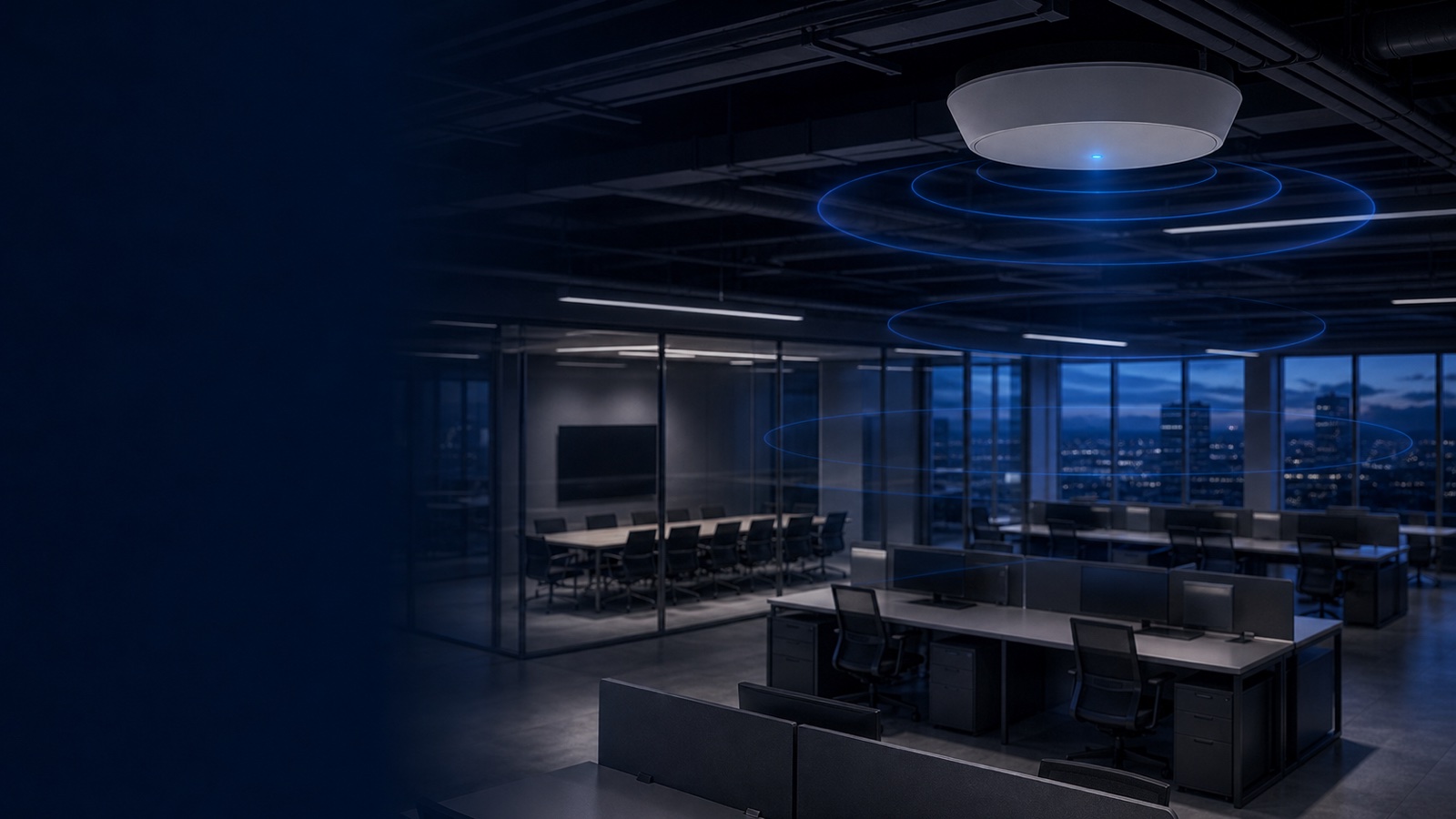
Choosing the right wireless access point is one of the most consequential decisions in a network refresh. Get it wrong and you're looking at costly forklift upgrades within two years. Get it right and a well-selected AP delivers a decade of reliable service across your campus, clinic, warehouse, or government building. This guide focuses on two current generations of Dell Networking access points — the Wi-Fi 6E AP-600 series and the Wi-Fi 7 AP-700 series — and explains how to match the right hardware to your environment, budget, and management architecture.
Whether you're a federal IT manager planning a TAA-compliant wireless refresh, a healthcare network engineer prioritizing IoT device density, or a higher-ed IT director trying to accommodate BYOD surges in lecture halls, this guide surfaces the differentiators that matter most. Pricing, part numbers, and licensing structures are not static, so every recommendation below links to current Dell access point product pages or a quote request so you get figures that reflect today's market.
Understanding the AP-600 Series: Wi-Fi 6E for the Present
The AP-600 series spans several form factors — campus, hospitality, and remote — all built on the Wi-Fi 6E (802.11ax) standard. Wi-Fi 6E extends the proven efficiency improvements of Wi-Fi 6 into the 6 GHz band, adding up to 1,200 MHz of additional unlicensed spectrum. That headroom matters enormously in dense environments where the 2.4 GHz and 5 GHz bands are already saturated.
AP-600 Campus Models: AP-615, AP-635, and AP-655
The three primary campus models cover a clear progression of capability:
AP-615 (610 Series) is the entry point for Wi-Fi 6E in Dell's indoor campus lineup. It uses dual 2x2 MIMO radios and delivers a combined peak data rate of up to 3.6 Gbps when operating concurrently across 5 GHz and 6 GHz. Power draw is low (802.3af Class 3 compatible), making it a strong fit for retrofit deployments where existing PoE switches lack high-power ports. It suits small branch offices, conference rooms, and medium-density classroom deployments.
AP-635 (630 Series) steps up to a tri-radio architecture — 2.4 GHz, 5 GHz, and 6 GHz operating simultaneously — for a peak aggregate rate of approximately 3.9 Gbps. Critically, the AP-635 adds an integrated Bluetooth 5 and 802.15.4/Zigbee radio, making it the go-to campus AP for organizations that need unified IoT onboarding alongside traditional Wi-Fi clients. Healthcare, retail, and education environments deploying BLE asset-tracking tags or Zigbee sensors can do so without a separate IoT gateway overlay.
AP-655 (650 Series) is the highest-performing indoor model in the 600 series. It carries dual Dell Smart Rate Ethernet ports configurable at 1, 2.5, or 5 Gbps, enabling hitless failover for both data and power — a feature more commonly associated with the 700 series. It also includes integrated BLE and Zigbee. For organizations that need the bandwidth ceiling and redundancy of a premium AP but aren't ready to commit to DellOS 10 and cloud management (required for the 700 series), the AP-655 is the natural choice.
Specialized 600 Series Form Factors: AP-600H and AP-600R
Beyond campus deployments, Dell offers two purpose-built 600 series variants:
AP-600H (Hospitality Series) is a wall-plate form factor designed for hotel rooms, patient rooms, dormitories, and similar single-occupant spaces. It features configurable dual radios that support any two of the three Wi-Fi 6E bands (2.4, 5, or 6 GHz), plus wired ports for in-room devices such as IP phones or smart TVs. This model eliminates the need for in-room wired switches while still delivering wireless capacity to guests.
AP-600R (Remote Series) is a powerful desktop AP targeting remote power users and small branch environments. It provides up to 3.6 Gbps combined aggregate data rate and accepts an optional high-speed LTE cellular module for primary or backup WAN connectivity — a meaningful differentiator for branch sites where fiber is unreliable. The AP-600R is managed through Dell SmartFabric Manager with built-in SD-WAN and cloud security, making it part of a broader SASE-capable branch architecture.
Understanding the AP-700 Series: Wi-Fi 7 for the Future
The AP-700 series represents Dell's current-generation Wi-Fi 7 platform, built on the 802.11be standard. Wi-Fi 7 introduces several capabilities that go beyond incremental throughput gains: Multi-Link Operation (MLO), which allows a single device to transmit and receive across multiple bands simultaneously; 4K-QAM modulation for higher spectral efficiency; and significantly wider 320 MHz channels in the 6 GHz band. Dell has also doubled SDRAM and flash memory compared to previous-generation APs, enabling application-specific containers to run natively on the hardware.
Important management note: All AP-700 series access points require DellOS 10 and Dell Networking Central for management. InstantOS mode and on-premises Mobility Controllers are not supported. This is a procurement-critical constraint — organizations locked into on-prem controller infrastructure must plan a migration path before deploying 700 series hardware.
AP-730 Series: Efficient Wi-Fi 7 for Campus
The AP-734 and AP-735 are Dell's efficient-tier Wi-Fi 7 campus APs. Both use three 2x2 MIMO radios (2.4 GHz, 5 GHz, 6 GHz) and deliver up to 9.3 Gbps maximum tri-band aggregate data rate. A flex-radio feature allows the 2.4 GHz radio to be reconfigured as a second 5 GHz or second 6 GHz radio, pushing the aggregate ceiling to 14.4 Gbps in dual-6 GHz mode — useful in extremely dense high-band environments.
The difference between the two models is antenna type: the AP-734 uses external RP-SMA connectors for third-party directional antennas (suited to specialized coverage scenarios), while the AP-735 ships with integrated omni-directional antennas. Both include dual 5 Gbps Ethernet ports for hitless failover, dual IoT radios (BLE 5.4 with HADM and 802.15.4/Zigbee), and a GNSS receiver supporting GPS, Galileo, GLONASS, and BeiDou — enabling sub-meter indoor positioning via IEEE 802.11az.
Dell's patented Ultra Tri-Band (UTB) filtering is standard across the 700 series, actively suppressing interference between adjacent 5 GHz and 6 GHz radios on the same AP — a real-world concern when two radios share a common chassis and nearby frequency space.
AP-750 Series: High-Capacity Wi-Fi 7 for Dense Environments
The AP-754 and AP-755 carry 4x4 MIMO radios, pushing the peak aggregate data rate to 14.4 Gbps at standard configuration. The AP-755 integrates downtilt omni-directional antennas optimized for high-density ceiling mounts, with peak gains of 5.3 dBi at 2.4 GHz, 6.0 dBi at 5 GHz, and 6.0 dBi at 6 GHz. The AP-754 is the external-antenna variant for scenarios requiring directed coverage.
The 750 series also supports MACsec (IEEE 802.1AE) link-level encryption on its Ethernet uplinks, extending wired-network-grade point-to-point security to the AP backhaul — relevant for government, defense, and financial deployments where encrypting the Ethernet segment between the AP and the distribution switch is a compliance requirement.
With its increased 4x4 MIMO spatial streams and MACsec support, the AP-755 is the appropriate choice for auditoriums, transit hubs, sports arenas, and large lecture halls where hundreds of clients compete for airtime simultaneously.
AP-760 Series: Hardened Wi-Fi 7 for Industrial and Outdoor
The 760 Series brings Wi-Fi 7 performance to environments that would destroy a standard campus AP. Models include:
- AP-763: Indoor hardened AP (IP50 rating) for warehouses, light industrial, and large public venues (LPVs) requiring directional LPI coverage
- AP-764: Outdoor-rated (IP66/IP67) connectorized AP for external antenna deployments, industrial enclosures, and potential mesh backhaul
- AP-765: Outdoor-rated (IP66/IP67) AP with integrated omni-directional antennas for general outdoor coverage, parking structures, and campuses
- AP-76xEX: Hazardous location variants compliant for environments such as oil rigs, chemical plants, and manufacturing facilities where explosive atmospheres are a concern
The 760 series delivers up to 4.3 Gbps aggregate from its dual 2x2 MIMO radios (5 GHz and 6 GHz), or up to 5.8 Gbps in 4x4 6 GHz-only mode. An embedded GPS receiver enables outdoor standard-power AFC compliance.
AP-600 vs AP-700 Series: Head-to-Head Comparison
| Criteria | AP-600 Series | AP-700 Series |
|---|---|---|
| Wi-Fi Standard | Wi-Fi 6E (802.11ax) | Wi-Fi 7 (802.11be) |
| Peak Aggregate Rate | Up to 3.9 Gbps (campus) | Up to 14.4 Gbps (campus) |
| Multi-Link Operation (MLO) | No | Yes |
| Channel Width | Up to 160 MHz | Up to 320 MHz (6 GHz) |
| MIMO Streams | 2x2 or 4x4 (AP-655) | 2x2 (730 Series), 4x4 (750 Series) |
| IoT Radios | BLE + Zigbee (AP-635, AP-655) | Dual BLE 5.4 + 802.15.4/Zigbee (all models) |
| Ethernet Ports | 1–5 Gbps Smart Rate | Dual 5 Gbps Smart Rate (730/750) |
| MACsec Uplink Encryption | No | Yes (750 Series) |
| Indoor Positioning (802.11az) | No | Yes |
| GNSS Receiver | No | Yes (730/750/760) |
| Management | DellOS 8/10, InstantOS, Central | DellOS 10 + Central only |
| On-Prem Controller Support | Yes | No |
| Hardened/Outdoor Models | No (600R is desktop) | Yes (760 Series) |
| Ideal Upgrade Timeline | Immediate refresh | Current deployment or 2–3 year roadmap |
Selecting the Right AP for Your Environment
No single model fits every scenario. Here is how to map use case to hardware:
General office or mid-density campus: The AP-635 covers most enterprise campus deployments with its tri-band Wi-Fi 6E and integrated IoT radio. If your switching infrastructure supports high-power PoE (802.3bt) and you want to be 700-series-ready in management architecture, consider the AP-735 instead.
High-density venues (lecture halls, conference centers, stadiums): The AP-655 (Wi-Fi 6E) or AP-754/755 (Wi-Fi 7) depending on client device maturity. Wi-Fi 7 client adoption is still ramping; if your endpoint fleet is predominantly Wi-Fi 6/6E-capable today, the AP-655 delivers the throughput headroom needed without requiring a management platform migration.
Healthcare and IoT-heavy environments: The AP-635 or AP-735 for their dual IoT radios and BLE/Zigbee support. Healthcare organizations using real-time location systems (RTLS) for asset tracking or nurse call integration will benefit from the 730 series' GNSS and 802.11az positioning.
Hospitality and multi-dwelling units: The AP-600H wall-plate form factor reduces per-room infrastructure cost by combining the AP and in-room switch into one unit.
Remote workers and small branches with WAN resilience needs: The AP-600R with optional LTE module provides failover connectivity not available in any other Dell campus AP form factor.
Industrial, warehouse, or outdoor deployments: The AP-760 series is the only Wi-Fi 7 option rated for these conditions. For indoor warehouse applications with forklift traffic and metal shelving, the AP-763 (IP50) or AP-765 (IP67 outdoor, also suitable for covered warehouses) are the primary candidates.
Federal and SLED buyers: Confirm TAA-compliance status at time of purchase — Dell publishes TAA-compliant SKUs for most campus models. Also verify that your cybersecurity compliance requirements (FIPS 140-2, Common Criteria) are met; Dell SmartFabric Manager's FedRAMP authorization status should be validated for cloud management deployments. Consult the Uniqcli guide to federal networking procurement for a checklist.
Management Architecture: What Changes Between Series
The shift from the 600 to the 700 series is not just a hardware upgrade — it is an architecture transition. The 600 series supports multiple management modes:
- DellOS 8 with on-premises Mobility Conductor and Controllers
- InstantOS for controller-less cluster management
- DellOS 10 with Dell SmartFabric Manager (cloud-native)
The 700 series supports only DellOS 10 with Dell SmartFabric Manager. This has several implications:
- Licensing costs change. Dell SmartFabric Manager requires a subscription license per AP. Factor this into the total cost of ownership, not just the hardware price.
- Controller hardware may become stranded. If you have significant investment in Dell Mobility Controllers running AOS 8, deploying 700 series APs alongside them requires operating two separate management planes.
- Cloud connectivity is mandatory. DellOS 10 is cloud-native by design. Organizations in air-gapped environments or with strict data sovereignty requirements should evaluate whether Dell SmartFabric Manager's deployment options satisfy their constraints before committing to 700 series hardware.
For most organizations planning a three-to-five-year network lifecycle, transitioning to AOS 10 and Central is the right long-term move. Dell SmartFabric Manager provides AI-powered RF optimization, integrated network access control, and SASE-ready SD-WAN integration — capabilities that significantly reduce day-2 operational overhead.
Key Procurement Considerations
Before submitting a purchase order, evaluate these factors:
- PoE budget: AP-730 and AP-750 models require 802.3bt (60W) PoE for full functionality. Verify your switching infrastructure supports high-power PoE or budget for injectors or new switches. The Dell PowerSwitch switching buying guide covers compatible PoE switch options.
- Licensing model: Central licenses are sold as subscriptions (Foundation, Advanced, or Premium tier). Confirm which feature tier you need — SD-WAN, AI Insights, and network access control each unlock at different tiers.
- TAA compliance: Required for federal and many SLED purchases. Not all SKUs are TAA-compliant; verify with your reseller.
- Warranty and support: Dell access points carry a limited lifetime warranty. Dell Pointnext support contracts (Foundation Care, Proactive Care) add advance hardware replacement and technical support tiers.
- Antenna accessories: For AP-734 and AP-764 connectorized models, external antennas are sold separately. Include them in your bill of materials.
- Future client device mix: If your endpoint replacement cycle will bring Wi-Fi 7 clients into production within 18–24 months, the AP-730 series offers a compelling total cost of ownership argument over a second-wave refresh of 600 series hardware.
Explore the full Dell access point portfolio and request current pricing through the Uniqcli shop or reach out for a custom network quote.
How Uniqcli Helps
Uniqcli is an authorized Dell and Dell Networking partner with direct experience serving federal agencies, SLED institutions, healthcare systems, and enterprise buyers. We don't just fulfill purchase orders — we help you match the right AP model to your RF environment, PoE infrastructure, and management architecture before anything ships.
Our team can assist with:
- Site survey scoping and AP placement recommendations
- Bill of materials validation across APs, switches, licensing, and support contracts
- TAA-compliance verification for federally funded projects
- DellOS 10 migration planning for organizations moving from controller-based deployments
- Volume pricing on AP-600 and AP-700 series hardware
Request a quote or contact our networking team to start a conversation. We'll respond within one business day with a tailored recommendation and current pricing.