
How to Plan a Wi-Fi 7 Upgrade
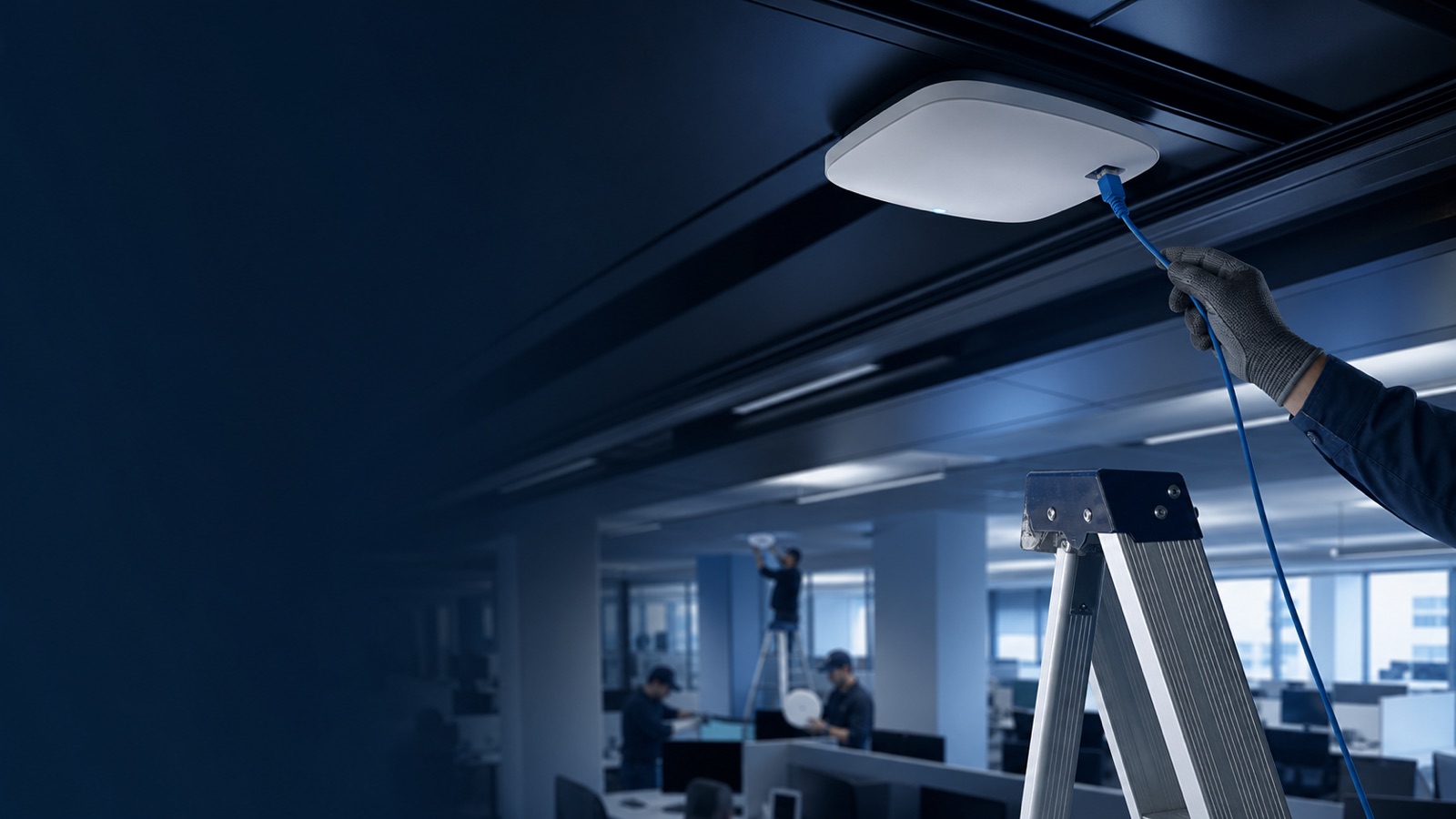
Planning a Wi-Fi 7 upgrade is not simply a matter of swapping access points. It is a top-to-bottom network project that touches cabling infrastructure, switch power budgets, management platforms, and client device readiness — all before a single new AP is racked. Done well, the transition to 802.11be delivers genuinely transformative performance: Multi-Link Operation, 320 MHz channels, and 4096-QAM modulation combine to push aggregate throughput well beyond what Wi-Fi 6E could achieve in the same physical space. Done poorly, it creates expensive bottlenecks where a $600 access point sits behind a 1-gigabit switch port running on PoE+ that cannot keep the radio powered to its full capability.
This guide walks IT teams — from enterprise campuses to federal facilities and SLED institutions — through every stage of a structured Wi-Fi 7 upgrade. Whether you are refreshing a single building or deploying across dozens of sites, the planning sequence below will help you right-size the project, avoid common pitfalls, and make a defensible business case to your stakeholders.
Understand What Makes Wi-Fi 7 Different
Before committing budget, confirm that Wi-Fi 7 solves problems you actually have. The headline capabilities of 802.11be are real and significant, but their value depends on your use case.
Multi-Link Operation (MLO) is the defining feature of Wi-Fi 7. Where earlier standards treated each band — 2.4 GHz, 5 GHz, and 6 GHz — as a separate logical connection, MLO allows a client and AP to maintain simultaneous active links across multiple bands at once. The network can load-balance traffic, aggregate bandwidth from multiple links, and seamlessly route latency-sensitive packets down whichever path is fastest. For real-time workloads such as VoIP, video conferencing, AR/VR collaboration, and clinical telemetry, the latency reduction that MLO enables is measurable and operationally meaningful.
320 MHz channel width in the 6 GHz band doubles the maximum channel width available in Wi-Fi 6E, enabling peak per-link throughput that was previously impossible without wired fallback.
4096-QAM (4K-QAM) encodes 12 bits per symbol versus Wi-Fi 6's 10 bits, a 20% improvement in spectral efficiency under favorable signal conditions.
Preamble puncturing allows the radio to carve out segments of a channel affected by interference rather than abandoning the entire channel — a mandatory capability for Wi-Fi 7 certification that improves performance in dense or interference-prone environments.
Understanding these features helps you identify which locations in your environment will benefit most: high-density auditoriums, clinical wards, open-plan offices, and outdoor venues where clients cluster and compete for airtime are ideal candidates for a phased early deployment.
Audit Your Existing Infrastructure
The single most important step before purchasing hardware is a thorough infrastructure audit. Wi-Fi 7 APs are power-hungry relative to earlier generations, and their multi-gigabit backhaul capability is wasted if the Ethernet plant cannot support it.
Cabling assessment:
- Identify every AP drop and confirm its cable category. Cat 6A is the recommended standard for Wi-Fi 7 runs that need to carry multi-gig speeds.
- Cat 6 cabling can support 1 Gbps reliably and 2.5 Gbps on shorter runs (under 100 m in good condition). Runs on Cat 5e are generally limited to 1 Gbps.
- Document run lengths. Older buildings with long runs to wiring closets may require additional intermediate distribution frames or wireless-to-wired bridging for remote locations.
Switch audit:
- List all access-layer switches by model, PoE standard, port speed, and uplink capacity.
- 802.3bt (PoE++) is required for full-power operation of premium Wi-Fi 7 APs. Switches limited to 802.3at (PoE+) can power some Wi-Fi 7 APs at reduced capability but will limit USB ports and may constrain radio transmit power.
- Check multi-gig port availability. Wi-Fi 7 APs commonly offer 2.5 GbE or dual 5 GbE/10 GbE uplinks. A 1 GbE-only switch is a bottleneck for any AP delivering aggregate throughput above roughly 900 Mbps.
- Calculate per-switch PoE budget. A Wi-Fi 7 AP consuming 36 W at full draw means a 24-port 802.3bt switch with a 720 W total budget can support about 20 APs at maximum draw — retain at least 20% headroom for boot cycles and fluctuating IoT loads.
Controller and management platform:
- Confirm that your wireless management system supports Wi-Fi 7 features including MLO policy, 320 MHz channel planning, and 6 GHz band steering before you commit to a hardware platform.
- If you are running an older controller-based architecture, evaluate whether the upgrade to a cloud-native platform is the right parallel move.
Choose the Right Wi-Fi 7 Access Point Tier
Not every location needs the same access point. Dell Networking offers two distinct Wi-Fi 7 campus series, each suited to different density and performance requirements. Browse the full range at Uniqcli's Dell access point catalog.
Dell Networking 730 Series
The 730 Series (including the AP-735) targets standard indoor campus environments — classrooms, general-purpose offices, retail floors, and healthcare corridors. Key characteristics include:
- Tri-radio 802.11be with 2x2 MIMO on 2.4 GHz, 5 GHz, and 6 GHz simultaneously
- Maximum aggregate data rate of approximately 9.3 Gbps (BE9300)
- Dual RJ-45 ports supporting up to 2.5 GbE auto-sensing
- 802.3at/bt PoE — full operation requires 802.3bt Class 5; 802.3at Class 4 is supported with USB ports disabled
- Maximum power draw of approximately 36 W with USB devices attached
- Patented Ultra Tri-Band (UTB) filtering to eliminate adjacent-channel interference in 5 GHz and 6 GHz
- Enhanced SDRAM and flash enabling application-specific containers to run directly on the AP
The 730 Series became generally available in July 2024 and represents the primary volume-replacement candidate when refreshing Wi-Fi 6 or Wi-Fi 5 indoor deployments.
Dell Networking 750 Series
The 750 Series (AP-754, AP-755) is engineered for high-density, mission-critical, or specialized environments — large lecture halls, stadiums, hospital patient-care units, and federal facilities where throughput density and location accuracy are paramount.
- Tri-radio 802.11be with 4x4 MIMO on all three bands delivering up to 18.7 Gbps maximum aggregate data rate
- Optional dual 5 GHz / 6 GHz radio modes enabling up to approximately 28.8 Gbps aggregate
- Dual 10 GbE Ethernet ports with hitless failover for mission-critical applications
- Dual IoT radios: built-in Bluetooth 5.4 and 802.15.4 (Zigbee) on separate dedicated radios
- Built-in GNSS receiver and support for 802.11az Fine Timing Measurement (FTM) enabling sub-1-meter indoor location accuracy
- Trusted Platform Module (TPM) for hardware-rooted credential and boot-code protection
- WPA3 with Enhanced Open (OWE) for guest access
The 750 Series demands dual 10 GbE switch ports and a full 802.3bt power budget, so infrastructure readiness is the gating factor for most deployments.
Compare Wi-Fi Generations at a Glance
Use this table when building your business case or selecting deployment phases:
| Feature | Wi-Fi 5 (802.11ac) | Wi-Fi 6/6E (802.11ax) | Wi-Fi 7 (802.11be) |
|---|---|---|---|
| Max channel width | 160 MHz | 160 MHz | 320 MHz |
| Maximum modulation | 256-QAM | 1024-QAM | 4096-QAM |
| Simultaneous bands | 2 (2.4 + 5 GHz) | 3 with 6E (2.4 + 5 + 6 GHz) | 3 (2.4 + 5 + 6 GHz) |
| Multi-Link Operation | No | No | Yes (802.11be mandatory) |
| Preamble puncturing | No | No | Yes (mandatory) |
| Spatial streams (max) | 8 | 8 | 16 |
| OFDMA | No | Yes | Yes (enhanced) |
| Typical AP PoE class | Class 4 (802.3at) | Class 4-5 | Class 5+ (802.3bt) |
| Typical backhaul | 1 GbE | 1–2.5 GbE | 2.5–10 GbE |
Wi-Fi 5 environments where the access layer runs on standard 802.3at switches with 1 GbE uplinks will need the most extensive infrastructure investment. Wi-Fi 6E sites that already have 802.3bt switches and multi-gig ports are in the best position to upgrade APs without a simultaneous switch refresh.
Plan Your RF Design for 6 GHz
Wi-Fi 7 changes RF design practices in meaningful ways. Treat the 6 GHz band as your primary capacity layer and 5 GHz as the legacy-compatibility layer.
- The 6 GHz band in the United States offers up to 1,200 MHz of contiguous spectrum (channels 1 through 233), supporting up to three non-overlapping 320 MHz channels or seven 160 MHz channels. This is a dramatically larger spectrum pool than the 500 MHz available in 5 GHz.
- Standard Power operation in 6 GHz requires an AFC (Automated Frequency Coordination) system for indoor access points in the U.S. to avoid interfering with incumbent users. Verify that your AP firmware and management platform support AFC compliance before enabling standard-power mode.
- Low Power Indoor (LPI) operation in 6 GHz does not require AFC but limits transmit power, which affects coverage radius. Plan AP density accordingly.
- Preamble puncturing means you can tolerate a degree of 6 GHz interference that would have forced a channel change on earlier standards — but it is not a substitute for proper channel planning in dense deployments.
- Commission a predictive RF survey using your target AP model, then validate with an on-site active survey after installation. Do not rely on Wi-Fi 6 or Wi-Fi 6E survey data for Wi-Fi 7 planning because the channel-width and spatial-stream assumptions differ.
Select and Validate Your Management Platform
Hardware is only as good as the platform managing it. Dell Networking Central with AOS 10 is the recommended management architecture for Wi-Fi 7 deployments.
AOS 10 is a distributed, cloud-native operating system that runs directly on each AP and gateway, eliminating the traffic-tromboning limitations of older controller architectures. Central provides a unified management pane for switching, Wi-Fi, SD-WAN, and security — combining AI-driven operations, an integrated data lake, and network access control in a single platform.
For organizations with data-residency or air-gap requirements — including federal agencies and some SLED institutions — Dell now offers Dell Networking Central On-Premises for Government, which includes FIPS 140-2 certified server hardware and meets related government security requirements. This is a meaningful option for environments where cloud SaaS management is not permitted.
Key platform verification steps:
- Confirm AOS 10 version compatibility with your target AP models
- Validate that MLO policy configuration and per-link analytics are available in your licensed tier
- Test the 320 MHz channel planning tools and ensure 6 GHz band-steering policies are configurable
- Review your Dell APEX options if you want to consume APs and management as a subscription with predictable monthly costs
You can explore management and licensing options on the Uniqcli networking products page or request a quote for a platform-inclusive project estimate.
Build a Phased Deployment Roadmap
Few organizations can replace every AP, every switch, and all cabling simultaneously. A phased approach manages cost and risk.
Phase 1 — High-value, infrastructure-ready locations: Identify buildings or floors where 802.3bt switches and Cat 6A cabling already exist. Deploy Wi-Fi 7 APs there first. These sites demonstrate ROI immediately and give your team operational experience before broader rollout.
Phase 2 — Switch and AP co-refresh: In locations where access switches are aging (past manufacturer end-of-support, limited to 1 GbE, or lacking adequate PoE budget), plan a coordinated AP and switch replacement. Dell PowerSwitch switching paired with Dell Wi-Fi 7 APs managed through Central creates a tightly integrated stack. See our networking product guides for switch selection guidance.
Phase 3 — Cabling remediation and outlier sites: Address sites where cabling limits multi-gig operation or where cable runs require replacement. In some cases, a fiber-to-the-AP approach using a media converter is more cost-effective than re-pulling copper.
Phase 4 — Client ecosystem validation: Wi-Fi 7 MLO benefits are only fully realized when client devices also support 802.11be. Work with your device refresh cycle — laptops, tablets, IP phones, medical devices — to ensure the client side of the equation matures alongside the infrastructure.
Prepare a Total Cost of Ownership Model
A Wi-Fi 7 project budget that counts only AP hardware is systematically underestimated. Build your TCO model with these categories:
- Access points: Hardware plus any required antennas for external-antenna variants
- Switch infrastructure: Multi-gig 802.3bt access switches plus uplink upgrades at the distribution layer
- Cabling: Cat 6A re-pulls where required; fiber for long runs
- Management licensing: Dell Networking Central subscription (per-device or APEX subscription)
- Professional services: RF survey, design, installation, and post-deployment validation
- Training and operational readiness: AOS 10 and Central administration training for your team
Validate your project scope with your account team or reseller before finalizing the budget. Infrastructure costs — switches and cabling — routinely exceed AP hardware costs in enterprise Wi-Fi 7 projects, particularly in older buildings. Getting an accurate picture early prevents mid-project scope creep.
For formal procurement on a federal or SLED purchasing contract, contact Uniqcli to discuss compliant procurement and multi-site pricing.
How Uniqcli Helps
Uniqcli is an authorized Dell and Dell Networking partner with experience supporting federal, SLED, healthcare, and enterprise buyers through infrastructure refresh projects of every scale. Our team can help you assess infrastructure readiness, right-size AP and switch selections for each location type, and navigate Dell licensing and compliant procurement so you avoid over-purchasing or under-speccing your deployment.
Browse Dell Wi-Fi 7 access points and networking hardware in our catalog, or request a project quote to start a conversation about your specific environment. If you want to talk through design approach before committing to hardware, reach out to our team directly — we are happy to work through the planning questions with you at no obligation.