
Choosing a Dell PowerEdge Server for AI: GPUs, Memory, and the XE Series
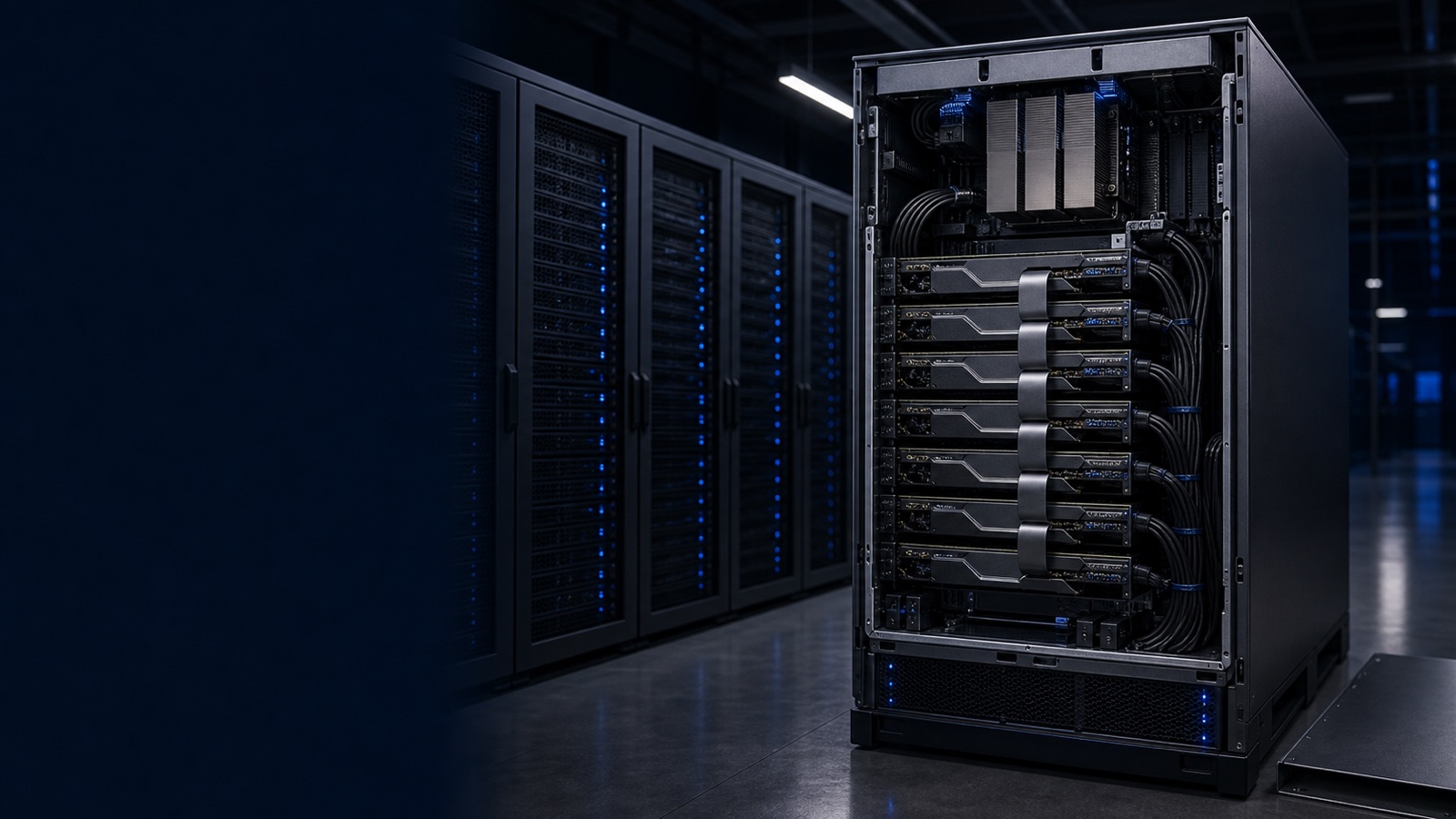
Buying a server for AI is a different exercise from buying general-purpose compute. The decision is no longer driven by core count and clock speed alone. It is driven by the accelerator, the memory feeding it, and the power and cooling envelope your facility can actually deliver. Dell's PowerEdge lineup spans everything from a single-GPU 1U node to the dense XE-series platforms built for large-model training, and choosing well means being honest about which workload you are running. This guide walks through the practical decision points for IT decision-makers, sysadmins, and contracting officers sizing PowerEdge for AI.
Training Versus Inference: The Decision That Drives Everything
Before you look at a single part number, classify the workload. Training and inference have fundamentally different appetites.
- Training is throughput-bound and memory-hungry. Large models require many high-end GPUs working in concert, with fast interconnect between them so the accelerators behave like one large compute pool rather than eight isolated cards. This is where the XE-series earns its place.
- Inference is latency- and cost-sensitive. You are serving a trained model to users or applications, often many concurrent requests, and you care about responses per second per dollar and per watt. Inference frequently runs well on fewer GPUs, sometimes a single accelerator per node, distributed across many smaller servers.
- Fine-tuning and retrieval-augmented generation (RAG) sit in between. These typically need meaningful GPU memory but not a full training cluster, making GPU-ready R-series servers a strong fit.
Getting this classification right prevents the two most expensive mistakes in AI procurement: over-buying a training platform to run inference, or under-provisioning interconnect and discovering your training jobs are bottlenecked.
The XE Series for Training: XE9680 and XE9640
When the workload is serious model training, Dell's purpose-built accelerator platforms are the answer.
- PowerEdge XE9680 is Dell's flagship dense-GPU server, designed to host eight high-end GPUs in a single chassis with the high-speed GPU-to-GPU interconnect those workloads demand. It is the platform you specify for training large language models, large-scale computer vision, and other jobs that need maximum accelerator density and memory bandwidth in one node. It is also the most demanding to power and cool, which we will return to.
- PowerEdge XE9640 is a denser, liquid-cooling-oriented four-GPU node aimed at environments standardizing on direct liquid cooling and rack-scale efficiency. It suits HPC-adjacent AI and sites building toward larger clusters where rack power density and thermal management are first-order constraints.
The distinction is largely about density model and cooling strategy. The XE9680 maximizes GPUs per chassis with air or liquid options depending on configuration; the XE9640 leans into liquid cooling for tighter, more efficient racks. Either way, plan these as cluster building blocks, networked with high-bandwidth fabric and managed as a pool.
GPU-Ready R-Series for Inference, Fine-Tuning, and Edge
Most organizations do not need a training supercomputer. They need solid accelerated inference, departmental fine-tuning, or AI at the edge. The mainstream PowerEdge rack servers cover this well.
- PowerEdge R760 is a 2U workhorse with room for multiple GPUs depending on configuration. It is a natural choice for inference serving, RAG pipelines, and mixed AI plus virtualization duty. The 2U chassis gives you the airflow and slot space that GPUs need without jumping to a specialized platform.
- PowerEdge R660 is the 1U sibling, optimized for compute density. It fits accelerator-light or single-GPU inference roles and scale-out deployments where you want many nodes per rack.
For distributed inference, a fleet of GPU-ready R-series nodes often beats a single dense box: you get fault isolation, easier incremental scaling, and the ability to place capacity close to where data lives. Pair these with PowerScale for high-throughput training data, PowerStore for mixed enterprise workloads, or PowerProtect for backing up models and datasets you cannot afford to regenerate.
Memory, Storage, and the Data Path
GPUs starve without a fast pipeline behind them. Three things deserve scrutiny:
- GPU memory determines the largest model or batch you can hold on a card. This is frequently the real constraint for fine-tuning and large-context inference, more so than raw compute.
- System memory should be generous relative to GPU memory so you can stage data, run preprocessing, and avoid swapping. AI nodes routinely call for far more DRAM than equivalent general-purpose servers.
- Local NVMe and the storage tier keep accelerators fed. Training in particular punishes slow data paths, so size local NVMe for staging and back it with scale-out storage such as PowerScale for the dataset itself.
Spend the time modeling the full data path. A world-class GPU bottlenecked by storage or network is expensive idle silicon.
Power, Cooling, and Manageability
This is where AI server projects succeed or stall. A fully populated XE9680 draws far more power and rejects far more heat than a conventional rack server, and a rack of them can exceed what many existing data centers were designed to deliver per rack.
- Power: confirm per-rack power budgets and circuit availability before ordering. Dense GPU nodes can require provisioning well beyond legacy assumptions.
- Cooling: air cooling has limits at these densities. The XE9640 and many high-density deployments assume direct liquid cooling, which is a facilities decision, not just a server option.
- Management: every PowerEdge ships with iDRAC for out-of-band control and OpenManage for fleet-wide monitoring, firmware, and telemetry. At AI densities, power and thermal telemetry are not nice-to-haves; they are how you keep the cluster healthy and within envelope.
For federal, DoD, SLED, and healthcare buyers, the same diligence applies to the paper trail. Specify against the right contract, confirm TAA compliance, and align security requirements such as FIPS 140-3 and NIST 800-171 with your configuration before award.
Practical Takeaway
Match the platform to the work. Reach for the XE9680 or XE9640 when you are training large models and need maximum GPU density and interconnect, with the facilities to power and cool them. Choose GPU-ready R760 or R660 nodes for inference, fine-tuning, RAG, and edge AI, where scaling out beats scaling up. In every case, size memory and the storage path to keep accelerators busy, and validate power and cooling before you commit. Get those three decisions right and the rest of the build follows cleanly.
Not sure which configuration fits your workload and power envelope? Request a quote or talk to a Uniqcli specialist and we will help you spec a PowerEdge AI build that holds up to both your workload and your procurement requirements.