
Rack Power and Cooling Planning for Dell PowerEdge Deployments
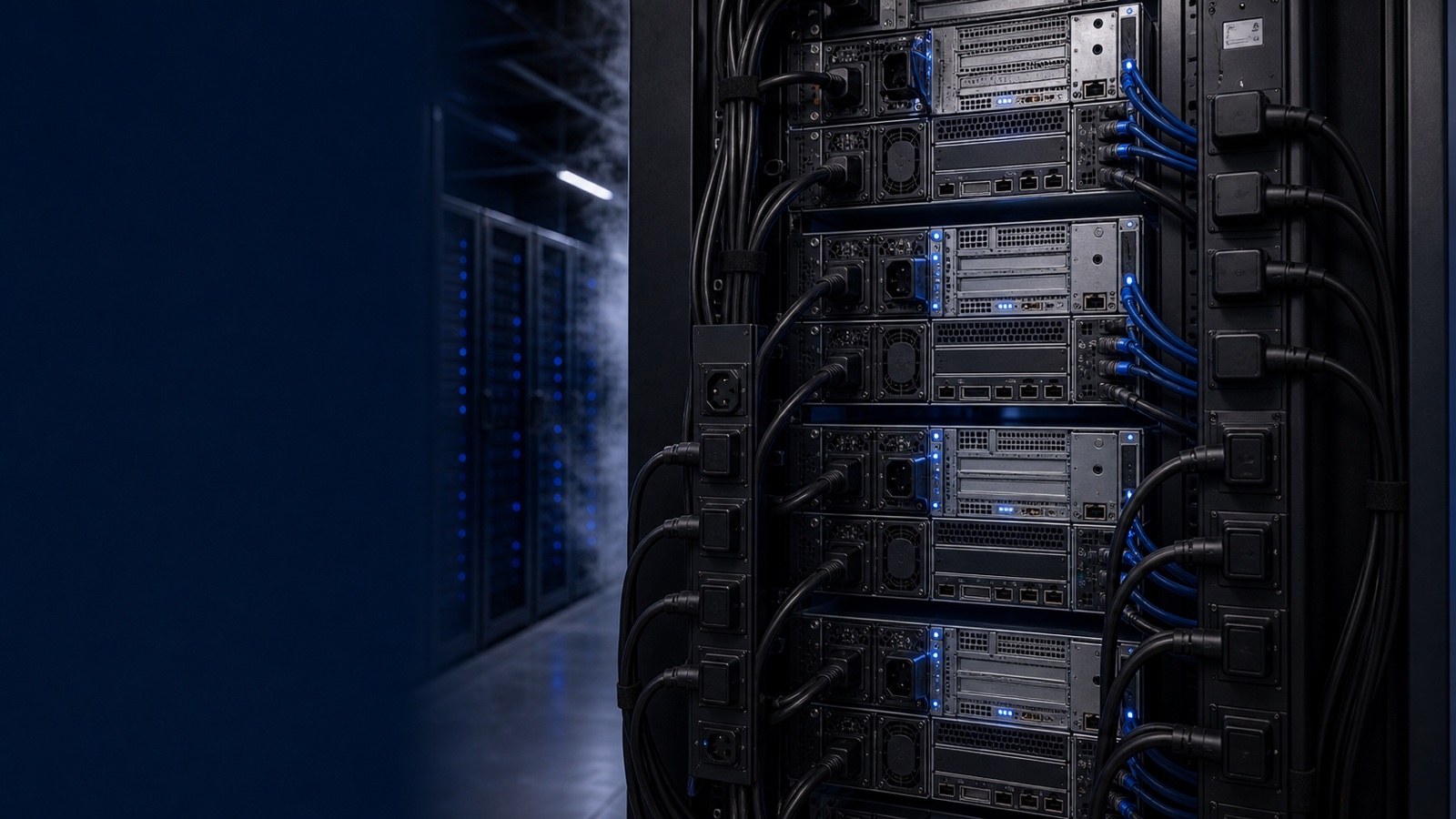
Dense Dell PowerEdge racks fail in the facility long before they fail in the BIOS. A rack full of dual-socket R760 nodes or GPU-laden R760xa servers can draw more power and reject more heat than the cabinet, the PDUs, or the room's cooling design were originally provisioned for. Getting power and cooling right is not an afterthought to a server refresh — it is the constraint that determines how many nodes you can actually land per rack. This guide walks through the per-rack math, PDU and UPS sizing, and airflow planning that keep PowerEdge and accelerated-compute deployments inside their thermal and electrical envelope.
Start With Per-Rack kW, Not Rack Units
The old habit of filling a 42U or 48U rack until you run out of slots breaks down fast with modern Dell hardware. A PowerEdge R660 or R760 with high-core-count Xeon or EPYC processors, fully populated DIMMs, and NVMe drives can pull well past what legacy 3–5 kW cabinets were designed to feed. Add GPUs — an R760xa configured with multiple double-wide accelerators — and a single node can dominate a rack's power budget on its own.
Plan from a power-per-rack target instead:
- Pull real numbers, not nameplate. Use Dell's Enterprise Infrastructure Planning Tool (EIPT) to model actual draw for your exact configuration and workload, rather than summing PSU maximums. Nameplate ratings overstate steady-state demand and lead to wasted, stranded capacity.
- Size the rack to a kW ceiling. Decide whether a cabinet is a 7–10 kW general-compute rack or a 15–30 kW (or higher) high-density GPU rack, then place nodes until you hit that ceiling — even if RU remain open.
- Account for redundancy in the math. A node with redundant PSUs splits load across two feeds; under a single-feed failure, the surviving feed must carry the full load. Size each path for the failover case, not the shared case.
- Leave headroom. Reserve 10–20% above expected draw for transient spikes, future DIMM or drive adds, and firmware power-profile changes pushed through iDRAC.
Sizing PDUs and Power Whips
Once you know the per-rack kW, the PDU and branch-circuit design follows. Dense PowerEdge racks almost always justify three-phase rack PDUs — they distribute load more evenly and deliver more usable power per cabinet than single-phase strips.
Key decisions:
- Match PDU capacity to the rack ceiling plus headroom. A 17.3 kW three-phase PDU is a common fit for high-density compute; verify the derated continuous rating (typically 80% of the breaker) covers your real draw.
- Use A/B feeds from independent sources. Two PDUs fed from separate UPS systems and ideally separate utility paths give you concurrent maintainability — you can service one side without dropping the rack.
- Choose metered or switched/monitored PDUs. Per-outlet metering lets you trend draw, catch creeping density, and reclaim stranded capacity. It also feeds branch-circuit data into OpenManage and your DCIM for capacity planning.
- Confirm receptacle and breaker types early. GPU nodes frequently need C19/C20 connections and higher-amperage circuits. Getting the whip, plug, and breaker right before delivery avoids install-day surprises.
UPS Runtime and Backup Power
The UPS exists to ride through transients and bridge to generator power, not to run the room indefinitely. Size it against your real, measured load and your required hold-up time.
- Right-size for load and runtime. Calculate VA/watt demand from EIPT figures, then choose a UPS and battery string that delivers the runtime your continuity plan requires — often just enough to cover generator start and transfer.
- Plan N+1 or 2N where the mission demands it. Federal, DoD, and healthcare workloads frequently require redundant power paths end to end. Match UPS topology to the availability tier the contract or accreditation calls for.
- Don't forget cooling on backup power. CRAC/CRAH units and in-row coolers must be on protected power too; servers that keep running while cooling drops will thermally throttle or shut down within minutes.
- Monitor battery health. Tie UPS telemetry into your monitoring stack so aging strings are flagged before they fail a transfer.
Airflow: The Other Half of the Equation
Power delivered is heat produced — essentially all of it. A 20 kW rack rejects roughly 20 kW of heat, and the cooling design has to remove it without letting intake temperatures climb out of spec. PowerEdge servers are front-to-back airflow devices, so the room has to cooperate.
- Commit to hot-aisle/cold-aisle containment. Without containment, hot exhaust recirculates to cold intakes, raising inlet temps and forcing throttling. Containment is the single highest-leverage airflow fix in most rooms.
- Blank every empty U and seal the rack. Unfilled slots and open gaps let hot and cold air mix. Blanking panels, brush grommets, and sealed cable cutouts keep the pressure differential where it belongs.
- Stay within ASHRAE inlet guidance. Design to keep server intake within the recommended envelope (commonly 18–27°C / 64–80°F). iDRAC and OpenManage expose inlet temperature and per-component thermals — trend them, don't guess.
- Bring cooling closer as density climbs. Beyond roughly 15–20 kW per rack, perimeter CRAC cooling struggles. In-row coolers, rear-door heat exchangers, or direct liquid cooling become the practical path for GPU-dense R760xa and similar builds.
- Verify floor and airflow capacity. Confirm raised-floor static pressure, perforated-tile placement, and CFM delivery actually match the heat load you're adding — a common gap when a low-density room gets a high-density refresh.
Bringing It Together for a Compliant Build
For regulated buyers, this planning is also documentation. Power and cooling assumptions belong in the design package alongside the bill of materials, so the facility, the integrator, and the contracting officer are working from the same numbers. EIPT outputs, PDU and UPS ratings, and airflow design all support the deployment record — and they feed lifecycle management through OpenManage once the systems are racked. Procurement of TAA-compliant hardware and FIPS 140-3 validated components where required is far smoother when the facility design is settled before the order ships.
Takeaway: size by kW per rack, not by rack units. Model real draw with EIPT, build redundant A/B power with three-phase PDUs and right-sized UPS, contain and seal your airflow, and escalate to in-row or liquid cooling as density rises. Do this before the PowerEdge nodes arrive, not after.
Planning a dense PowerEdge or GPU deployment and want the power, cooling, and configuration sized correctly the first time? Request a quote or talk to a Uniqcli specialist — we'll help you spec a rack that lands clean.