
The Dell PowerEdge Buying Guide: Models, Generations, and How to Choose
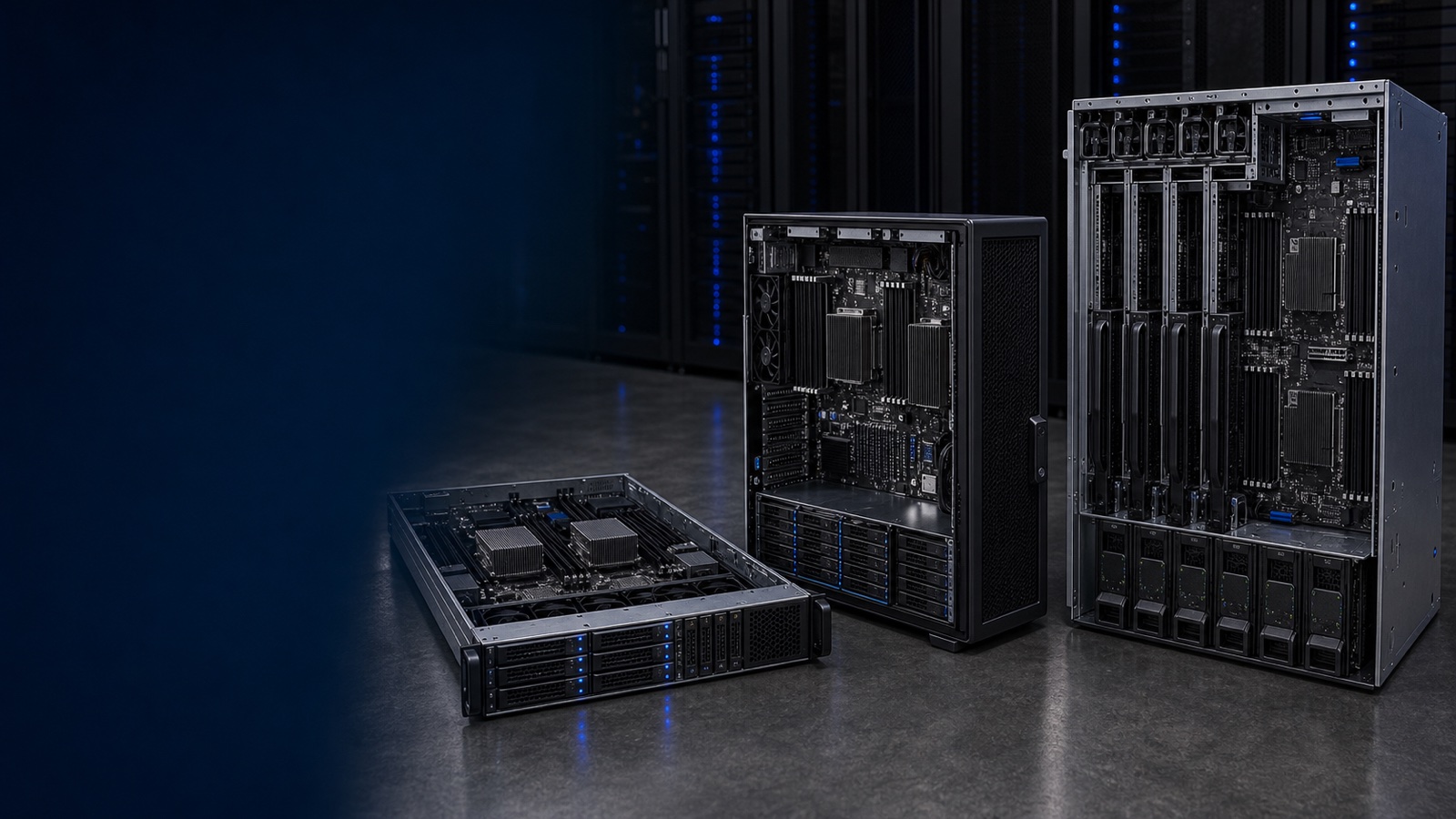
Dell PowerEdge servers run the data centers, government agencies, hospital systems, and university campuses behind nearly every vertical. The portfolio has been refined across more than fifteen hardware generations, and as of mid-2026 it spans two active families — the 16th Generation (16G) and the newer 17th Generation (17G) — covering single-socket edge appliances through multi-node modular infrastructure. That breadth is genuinely useful, but it also means picking the wrong model is easy when you are navigating dozens of SKUs, two processor vendors, and several storage architectures at once.
This guide gives procurement teams, IT architects, and department heads a vendor-honest, decision-focused framework. We cover Dell's naming convention, form factors, processor tradeoffs, workload alignment, security, and total-cost factors — enough to walk into a quoting conversation with confidence. Where it matters, we flag the differences between 16G and 17G so you can make an informed generational choice for your budget and timeline.
How Dell Names a PowerEdge Server
Dell encodes real information in the model number. A name like R760 breaks down as: a leading letter for form factor, then digits for class, generation, and CPU vendor.
- R = Rack. 1U–4U servers for a standard 19-inch rack. The R660 (1U) and R760 (2U) are the current Intel workhorses.
- T = Tower. Self-contained chassis for sites without a rack — clinics, classrooms, branch offices. The T160, T360, and T560 span entry to dual-socket.
- MX = Modular. Compute sleds (e.g., the MX760c) that slide into the shared PowerEdge MX7000 chassis for composable infrastructure.
- XR = Rugged edge. Short-depth, extended-temperature servers for cell sites, vehicles, and the tactical edge.
- XE = Accelerated / AI. Purpose-built GPU platforms such as the XE9680 and XE9712 for training and large-scale inference.
Inside the number, the final digit tells you the processor vendor: 0 = Intel, 5 = AMD. So an R760 is Intel, while an R7625 is AMD EPYC. That single digit is the fastest way to confirm you are quoting the platform you intend to.
16G vs. 17G: What Changed at the Platform Level
Dell's 16G line is built on 4th and 5th Gen Intel Xeon Scalable (Sapphire Rapids and Emerald Rapids) and 4th Gen AMD EPYC (Genoa), with DDR5 memory, PCIe Gen5, and iDRAC9 with Lifecycle Controller for management.
Dell's 17G line, which began shipping in 2025, moves to Intel Xeon 6 (Granite Rapids P-cores and Sierra Forest E-cores) and 5th Gen AMD EPYC (Turin), managed by the next-generation iDRAC10. The dual-socket Intel R670 and R770 reach up to 86 P-cores or 144 E-cores across two sockets, while AMD's single-socket R6715/R7715 hit 160 cores and the dual-socket R6725/R7725 reach 192 cores.
| Capability | 16G | 17G |
|---|---|---|
| Management controller | iDRAC9 | iDRAC10 |
| Primary Intel platform | Xeon Scalable 4th/5th Gen | Intel Xeon 6 (P-core / E-core) |
| Primary AMD platform | EPYC 9004 (Genoa) | EPYC 9005 (Turin) |
| Max cores per socket (AMD) | up to ~96 | up to 192 (dual-socket) |
| Memory | DDR5 | DDR5 (higher capacity / speed) |
| PCIe generation | Gen5 | Gen5 |
| Federal posture | Strong | Latest, TAA-orderable |
Key takeaway: 16G remains an excellent platform for most enterprise, SLED, and healthcare workloads and stays under active Dell support for years. 17G is the right call when you need the newest core densities, the highest AI inference throughput, or the longest support runway for a 7–10 year asset life. For cost-sensitive refreshes, 16G often delivers stronger price-to-performance at current street pricing. Browse live configurations on our Dell PowerEdge compute page.
Form Factor: Rack, Tower, or Modular
The form-factor decision is upstream of everything else — it constrains cooling, power, drive count, and GPU capacity.
Choose a rack (R-series) server when you have a 19-inch rack, need high drive counts or GPUs, and value lights-out management over acoustics. The 1U R660 maximizes nodes-per-rack; the 2U R760 trades height for PCIe slots, drive bays, and GPU room.
Choose a tower (T-series) server when the site has no rack, acoustics matter, or budget is tight. The T560 handles mid-size virtualization; the T160/T360 suit branch offices and point-of-sale.
Choose modular (MX) when you are consolidating multiple workloads and want to compose compute, storage, and fabric from a shared MX7000 chassis rather than cabling discrete servers.
Intel Xeon vs. AMD EPYC
Both vendors are first-class across PowerEdge. The right choice depends on workload, licensing model, and memory bandwidth.
Intel Xeon (R660/R760 on 16G; R670/R770 on 17G) is the safe pick for VMware vSphere, Hyper-V, SQL Server, and Oracle, where per-core commercial licensing rewards lower core counts and proven ecosystem support.
AMD EPYC (R6615/R7615 single-socket and R6625/R7625 dual-socket on 16G; R6715/R7715 and R6725/R7725 on 17G) wins on raw core density and memory bandwidth — ideal for HPC, in-memory databases, Linux-native stacks, and virtualization consolidation where per-VM or subscription licensing removes the per-core penalty.
| Workload | Recommended Model(s) |
|---|---|
| General virtualization | R660 / R760, R670 / R770 |
| VDI / consolidation | R7625, R7725 (AMD core density) |
| AI inference / GPU | R760 (GPU config), XE9680 |
| SQL / Oracle OLTP | R660, R760 (Intel licensing) |
| HPC / simulation | R6625, R6725 (EPYC bandwidth) |
| Branch office / edge | T360, XR-series |
| Scale-out modular | MX760c in MX7000 |
Storage: Drives, PERC Controllers, and External Arrays
Drive-bay count and controller choice are hard to change after deployment, so get them right up front. PowerEdge supports LFF (3.5") for capacity tiers, SFF (2.5") for all-flash SAS/SATA, and EDSFF E3.S NVMe for the highest IOPS density. NVMe is the right call for any database, VDI, or AI training workload where I/O is the bottleneck; SAS/SATA stays cost-effective for bulk and archive.
RAID runs on Dell PERC (PowerEdge RAID Controller) — including front PERC options that preserve PCIe slots — with health and predictive-failure data surfaced through iDRAC and OpenManage Enterprise. For shared capacity, PowerEdge pairs cleanly with Dell PowerStore and PowerMax for block and file, and Dell PowerProtect for backup, cyber recovery, and DR. See our Uniqcli storage guides for array selection.
Security for Regulated Buyers
If you support federal, DoD, SLED, or healthcare workloads, the platform's security architecture matters as much as raw performance. Dell's Cyber Resilient Architecture anchors firmware to a Silicon-based Hardware Root of Trust, with cryptographically signed firmware, Secure Boot, and TPM 2.0 for measured boot and attestation. iDRAC System Lockdown prevents malicious or accidental firmware changes — and the latest iDRAC can toggle lockdown without a reboot. Secured Component Verification (SCV) provides a factory-issued certificate proving the components you received match what Dell built, an extension of the Dell Trusted Supply Chain. SCV-on-device is supported on Trade Agreement Act (TAA) platforms, which is exactly what federal procurement under FAR/DFARS requires. Request a quote with compliance noted and we will specify the right options.
Lifecycle and Total Cost of Ownership
List price is rarely the right metric. Model the levers that actually move TCO: per-core software licensing (SQL Server, Oracle, vSphere can swing wildly between a 32-core and 96-core platform), power-and-cooling efficiency over a 3–5 year life, and Dell ProSupport / ProSupport Plus tiers for environments with uptime SLAs. Dell Trade-In credit for retiring older assets often meaningfully lowers the net cost of a 16G or 17G refresh. And if you would rather avoid upfront capex, Dell APEX delivers PowerEdge capacity as a metered, pay-as-you-grow service, with fleet health and observability through Dell CloudIQ.
How Uniqcli Helps
Uniqcli is an authorized Dell Technologies partner experienced configuring PowerEdge for federal, SLED, healthcare, and enterprise buyers — quoted by RFQ with TAA-compliant options. We start from your workload, compliance posture, and budget horizon, not a catalog. If you know what you need, start with our Dell PowerEdge compute catalog. If you are still scoping — 16G versus 17G, Intel versus AMD, or APEX versus a capital purchase — contact our team or request a detailed quote and we will build a complete bill of materials with no surprises after the PO.