
Can I Buy Dell OptiPlex Desktops TAA Compliant?
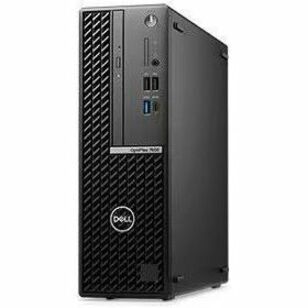
Yes. Dell OptiPlex desktops are commonly available in TAA-compliant configurations across Micro, Small Form Factor, Tower, and all-in-one, and federal offices refresh with them every year. What decides compliance is the country of origin of the exact configuration you are quoted, not the form factor and not the product name, so confirmation has to appear on the quote line by line.
A desktop buy puts more lines on the order than a laptop buy: a monitor or two, a keyboard, a mouse, sometimes a dock or a mount. Each of those is its own end product with its own origin question, and in the quotes we review, the peripheral lines are the ones that come back unconfirmed.
What the TAA test is applied to
The Trade Agreements Act (19 U.S.C. 2501 et seq.), implemented through FAR 52.225-5 and certified under FAR 52.225-6, requires that each end product delivered on a covered acquisition be a U.S.-made or designated country end product. Designated country is a defined term in the FAR, and the list is broader than the free trade agreement partners, so check the current list rather than assuming.
For a computer built from globally sourced parts, the test is substantial transformation: the country where those parts became a new and different article with a distinct name, character, and use. The analysis usually turns on where the system was manufactured, not where it was later configured or imaged. Assembly is a fact question, not a rule, which is why the answer comes from the manufacturer's country-of-origin data for that configuration and not from your own read of the build.
Two consequences matter on an OptiPlex order. A single model number can be built at more than one site, so origin is a per-configuration fact. And origin moves as manufacturing moves, so last year's confirmation is not evidence for this year's purchase order. The federal guide to Dell TAA compliance applies the same test across the rest of the catalog.
Form factor by form factor
All four OptiPlex form factors are regularly quoted in TAA-compliant builds. Form factor tells you nothing about origin either way. What it changes is how many separate end products land on the order.
OptiPlex Micro
The smallest chassis in the family, sized to mount behind a display or under a desk: call centers, shared desks, kiosks, and secure rooms where footprint is the constraint. A Micro has no display of its own, so every Micro buy is at minimum two end products: the system and the monitor. The Micro versus Small Form Factor comparison covers where each fits.
Small Form Factor
The mid-size chassis, with room for a low-profile expansion card and extra storage. It is the default desk unit at most agencies, and because it goes out in volume, one unconfirmed origin can affect several hundred units on one order.
Tower
Full-height chassis with the most expansion, drive bays, and power headroom, for desks that need a discrete graphics card or extra internal storage. Same test, same confirmation.
OptiPlex All-in-One
The all-in-one integrates the display into the system, which usually means one end product instead of two. That is simpler for the origin file and busier everywhere else: the built-in camera and microphones pull NDAA Section 889 and agency camera policy into the review, and many configurations offer a retractable camera, while some can be ordered without one for restricted spaces. Section 889 restricts covered telecommunications and video surveillance equipment from named entities, and it is a separate rule from the TAA.
| Form factor | Where it fits | Confirmation step on the quote | Separate lines to confirm |
|---|---|---|---|
| Micro | Call centers, shared desks, kiosks, secure rooms | Origin for the exact system configuration quoted | Monitor, keyboard, mouse, mount, dock, cables |
| Small Form Factor | Standard agency desk, volume refresh | Origin per configuration, before a volume PO is cut | Monitor, keyboard, mouse, dock, expansion card |
| Tower | Engineering, imaging, lab benches | Origin per configuration, plus each add-in card | Monitor, keyboard, mouse, graphics or capture card, cables |
| All-in-One | Front counters, clinical desks, training rooms | Origin for the single integrated end product | Keyboard, mouse, stand or arm, plus Section 889 for the camera and radios |
OptiPlex Plus and standard OptiPlex: a feature tier, not an origin tier
Plus is Dell's higher tier within the OptiPlex family, a different processor and feature set from the standard line, not a different manufacturing story. Origin follows where a given configuration was built, and either tier can be built at more than one site, so "Plus" tells you nothing about compliance.
Anyone who says one tier is TAA compliant and the other is not is describing one build, not a rule. Pick the tier on features and price using the Plus versus standard OptiPlex comparison, then confirm origin for the configuration in front of you.
One naming note: Dell has been moving its commercial client lines toward the Dell Pro naming, so a refresh quoted this year may show OptiPlex, Dell Pro desktops, or both. The test does not change with the badge. If the desktop versus laptop call is still open, OptiPlex versus Latitude covers that tradeoff.
The monitor, keyboard, and mouse are their own questions
This is the most common gap in a desktop refresh file. The system was confirmed, the peripherals rode along, and the contracting officer ends up with origin documentation for one line out of four.
The working rule: a peripheral delivered as part of the configured system is generally covered by that end product, while one with its own part number on its own line is its own end product and needs its own country of origin. Where a specific bundle falls is your contracting officer's call; asking for origin on every line settles it.
That covers monitors, keyboards, mice, docks, headsets, webcams, and separately quoted stands or arms; docks and webcams also need the Section 889 look. The TAA-compliant bill of materials walkthrough shows how to lay the file out, and the TAA procurement guide for federal IT covers vehicle-level rules.
The buying path decides whether the clause applies
- GSA Multiple Award Schedule. Schedule orders are TAA-covered. Every system, monitor, and accessory on the order has to be a compliant end product.
- Open market above the threshold. The TAA clauses apply when the acquisition exceeds the applicable trade agreement threshold and the clauses are in the solicitation. Read the solicitation.
- Purchase card, below the micro-purchase threshold. Micro-purchases are generally not TAA-covered as a matter of the FAR, but agency policy varies, and many agencies tell cardholders to buy compliant hardware anyway or route all IT hardware through IT procurement.
The card point has a desktop-specific catch: one Micro plus a monitor can sit under the threshold, a 40-desk refresh does not, and splitting one requirement into several card buys to stay under it is not permitted. The purchase card guide for Dell buys covers the cardholder mechanics.
What belongs in the file before the PO
- Country of origin for the exact system configuration, not the model family, with the date it was confirmed.
- A separate origin statement for every peripheral and accessory quoted on its own line.
- The Section 889 representation for anything with a radio, a camera, or a microphone, including all-in-ones and docks.
- The vehicle and clause set that applies. The Buy American Act is a separate rule from the TAA.
How Uniqcli validates TAA on an OptiPlex quote
Uniqcli is an independent reseller and systems integrator that sells and configures genuine Dell Technologies products. On a desktop quote, we validate line by line, not by product family.
For each system, monitor, keyboard, mouse, dock, and mount on its own line, we confirm country of origin for that exact configuration against current manufacturer data, date it, flag any line we cannot confirm, and return a per-line record your contracting officer can file. All-in-ones and docks get the Section 889 check in the same pass.
Browse current systems in the desktop catalog, see how we support federal and government buyers, then request a TAA-validated quote with your form factor mix, quantity, and vehicle. Pricing is configuration-specific, so the quote comes back priced against your exact build with origin confirmed per line, and the keyboard never rides on the desktop's paperwork.
Frequently asked questions
Can I buy Dell OptiPlex desktops TAA compliant?
Yes, and the proof you need is a per-line document, not a product-page claim. Ask your reseller for a country-of-origin statement tied to the exact configuration code on the quote, dated, with the system and each separately quoted peripheral listed on its own row. That is what a contracting officer files against the FAR 52.225-6 certification. A statement that names only the model family, or one carried over from a prior fiscal year, will not hold up on review.
Which OptiPlex form factors are available TAA compliant?
Micro, Small Form Factor, Tower, and the all-in-one are all commonly available in TAA-compliant configurations. Form factor does not change the test: substantial transformation in the United States or a designated country. It changes how many end products end up on the order. A Micro needs a monitor line; an all-in-one usually does not, but it brings an integrated camera into the Section 889 review.
Does OptiPlex Plus have a different TAA status than standard OptiPlex?
No. Plus is a feature and processor tier within the OptiPlex family, not a different manufacturing path, and origin is set per configuration for both tiers. Either tier can be built at more than one site, so neither carries a blanket TAA status. Pick the tier on features and price, then confirm country of origin for the configuration you are buying.
Are OptiPlex all-in-ones treated the same as desktops for TAA?
The TAA test is identical, but the paperwork moves around. Because the display is integrated, an all-in-one is usually a single end product instead of a system line plus a monitor line. In exchange, the built-in camera, microphones, and wireless pull NDAA Section 889 and agency camera policy into the review. Confirm origin for the single unit, then run the 889 representation on the same line.
Do the monitors and keyboards that come with an OptiPlex need to be TAA compliant too?
On a TAA-covered acquisition, yes, when they are quoted as their own line items. A monitor, keyboard, mouse, or dock with its own part number is its own end product with its own origin, and none of them inherit the desktop's status. Peripherals delivered inside the configured system are generally covered by it, but where a given bundle falls is your contracting officer's call.
Can I put a TAA-compliant OptiPlex order on the purchase card?
You can, within your agency's rules. Purchases below the micro-purchase threshold are generally not TAA-covered under the FAR, but agency policy varies, and many agencies require compliant hardware on card buys anyway or route IT hardware through IT procurement. Check your card guidance first: a multi-desk refresh will exceed the threshold, and splitting it into several card buys is not permitted.